
Vanilla survival
Use Vanilla for the official Java server experience. Start with a whitelist for a private group, set a sensible player limit and keep the server release aligned with your friends’ clients.
HEXACRAFT / MINECRAFT JAVA
A small survival world, a plugin community or a carefully chosen modpack: start with the Java software your players actually use. HexaCraft’s Minecraft catalog starts at ₹20/month, with Intel, AMD EPYC and Ryzen tiers, panel access and 3 backup slots on every paid plan.
Reviewed · Monthly INR billing
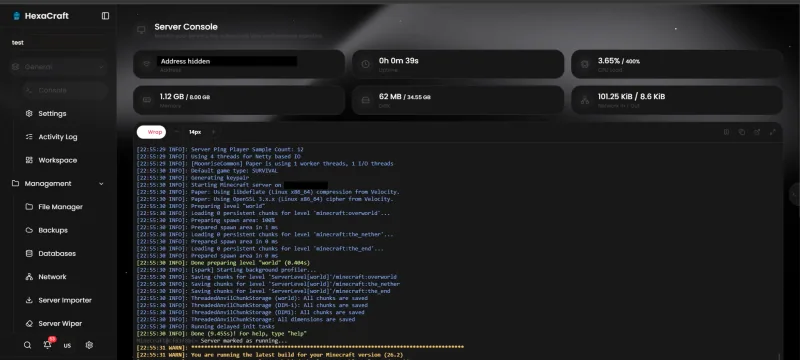
Choose a plan in the Minecraft hosting catalog, add it to your cart and continue through the existing billing checkout. Match the RAM, CPU allocation and storage to the exact software you intend to run. The ₹20 Intel 1 GB entry plan is an inexpensive allocation, rather than a recommendation for every modern release or a large public server.
The currently configured Java billing products deploy in Mumbai, India. If you need another advertised region, contact support before paying to confirm the available hardware and ordering route. See the service and location reference. Do not assume a regional name means the plan is immediately available there or that a move can happen without downtime.
Use Vanilla for the official Java server experience. Start with a whitelist for a private group, set a sensible player limit and keep the server release aligned with your friends’ clients.
These are common choices for a plugin-based SMP. Check each plugin’s supported game versions and server requirements. Paper-specific plugins may require Paper; do not assume every plugin works on every implementation.
Use the correct loader and the server pack supplied by the modpack author. Client-only mods should not be copied blindly into the server. Loader, mod and game versions need to agree.
Panel installers make common setup tasks easier, but availability depends on the image, release and permissions. Read the modded server planning guide before buying memory for a large pack. Changing a server type can replace files; take a backup before using an installer.
| Plan | RAM | CPU allocation | Storage | Monthly price |
|---|---|---|---|---|
| Intel 2GB | 2GB RAM | 100% CPU | 25GB NVMe SSD | ₹40 |
| AMD 2GB | 2GB RAM | 100% CPU | 25GB NVMe SSD | ₹80 |
| Ryzen 2GB | 2GB RAM | 100% CPU | 25GB NVMe SSD | ₹240 |
The full range starts at ₹20/month for Intel 1 GB. These 2 GB examples are allocations to compare, not a promise that they fit every server version, player count or modpack. Compare all 27 plans and use the plan finder for an initial estimate.
Intel costs ₹20 per GB RAM per month, AMD EPYC ₹40 and Ryzen 9 9950X ₹120. The processors and their allocation limits differ, so equal memory does not establish equal performance. CPU percentages on the cards are limits, not a count of dedicated physical cores. We do not turn the tier name into a guaranteed TPS figure.
Leave memory for the Java process and its workload. Explored chunks, simulation distance, entity counts, plugin tasks and concurrent activity all matter. A small whitelist SMP and a busy economy server can need very different resources even with the same number of players. Use our Minecraft RAM guide to plan a starting point, then check actual use.
Each paid Minecraft server has 3 backup slots. That is backup capacity, not a promise that a schedule runs automatically. Verify your backup completes and understand how to restore it. Use the SFTP transfer guide when moving an existing world.
When a server slows down, inspect the console and capture a profiler report during the slowdown. Increasing RAM will not fix every main-thread bottleneck. Change one setting or plugin at a time, compare the result under a similar workload and keep the option to roll back. The TPS and MSPT troubleshooting guide explains what those measurements mean.
For a mixed Java and Bedrock community, Geyser is a separate cross-play option on a compatible Java backend. It is different from converting the server to native Bedrock. Read the GeyserMC guide, including the allocated-port and authentication checks, before promising cross-play to your players.
The existing HexaCraft Minecraft catalog starts at ₹20/month for Intel 1 GB. Intel, EPYC and Ryzen have different monthly rates and allocations. Compare the complete plan cards; 1 GB is not suitable for every Java release or modpack.
Use a compatible Paper release and plugins that support that game version. Back up before installing or updating plugins. Our survival plugin guide covers selecting a small, useful plugin set.
You can transfer server files with SFTP. Stop both copies during the final transfer, preserve an original backup and check software compatibility before starting the imported world.
No fixed player count is promised. World generation, simulation distance, entities, plugins, mods and CPU demand affect capacity. Measure your own workload rather than judging by RAM alone.
Order a Java Minecraft plan, then open a ticket in the official HexaCraft Discord to request a Bedrock switch. Back up your data and discuss edition and world compatibility first. See the Bedrock order guide.
Use the plan finder, compare the Minecraft hosting catalog, or ask support about your existing world before ordering.
Cashfree checkout supports UPI, cards, net banking and wallets. The methods shown by the gateway for the particular order are authoritative. Discord and WhatsApp support are available 24/7. This describes support availability, not a guaranteed response or resolution time. The 24-hour refund policy applies subject to eligibility and applicable deductions.