Intel 1GB
Entry allocation. Check your Minecraft version’s minimum requirements.
Monthly plan
₹20/month
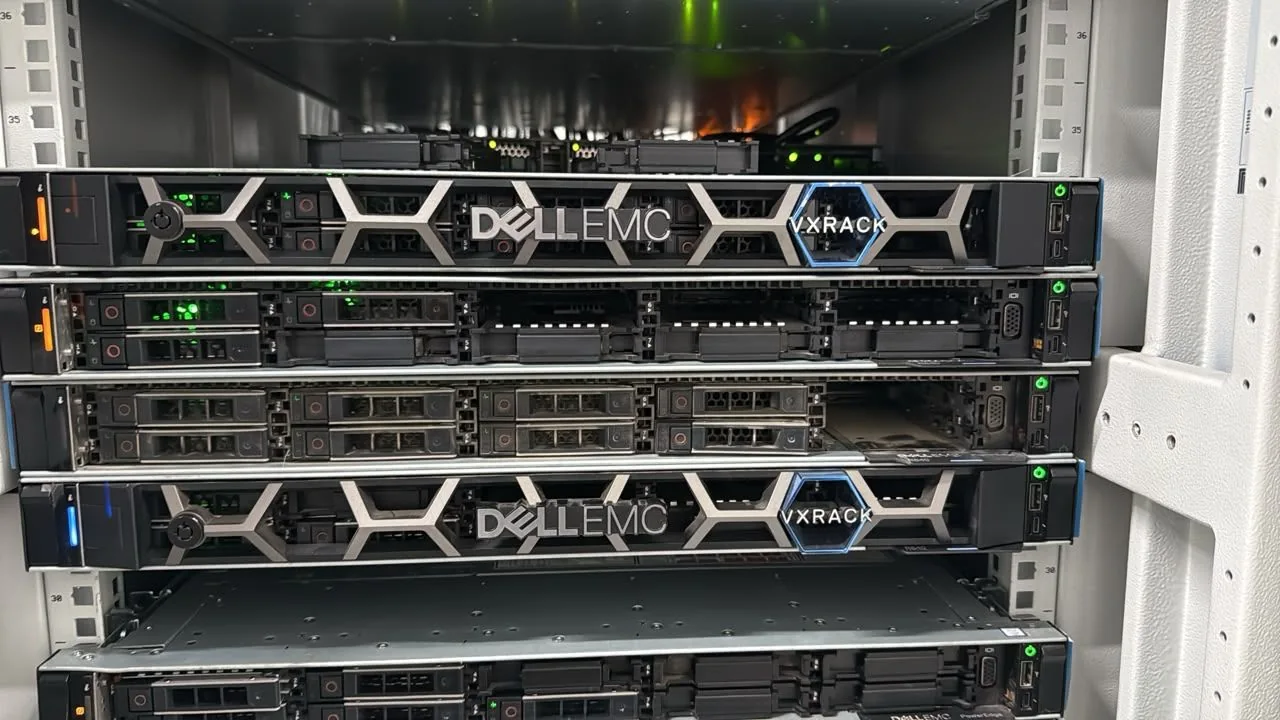
- Intel Xeon Platinum 8269-CY
- 50% CPU
- 1GB RAM
- 10GB NVMe SSD
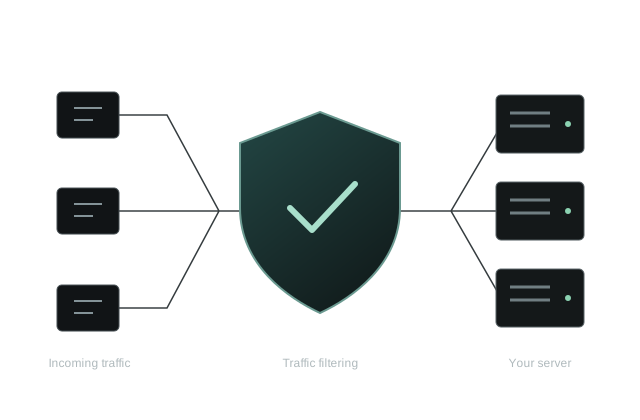
- DDoS Protection
- Full FTP Access
₹20 per GB / month Panel & file access · 3 backup slots
MINECRAFT HOSTING / INDIA
Cheap Minecraft hosting in India starts at ₹20/month for 1 GB RAM, 50% CPU and 10 GB NVMe storage in Mumbai, with panel access and 3 backup slots.
Plans from₹20/month
Intel 1 GB planDDoS protection Panel & file access

3 CPU familiesIntel · AMD EPYC · Ryzen
1–64 GB RAMCompare every allocation
3 backup slotsOn every paid Minecraft plan
Mumbai, IndiaCurrent billing-plan location
Start with your Minecraft version and modpack, then compare RAM, CPU allocation and storage. These affordable Minecraft plans are billed monthly; the cheapest listed option starts at ₹20.
Included with every listed paid Minecraft plan: Mumbai hosting, NVMe storage, DDoS protection, panel and file access, and 3 backup slots per server. The 24-hour refund policy covers Minecraft and all HexaCraft services, subject to eligibility and applicable deductions.
Intel Xeon Platinum 8269-CY · ₹20 per GB RAM / month
Entry allocation. Check your Minecraft version’s minimum requirements.
Monthly plan
₹20 per GB / month Panel & file access · 3 backup slots
Entry allocation. Check your Minecraft version’s minimum requirements.
Monthly plan
₹20 per GB / month Panel & file access · 3 backup slots
Planning an SMP? Leave headroom for your world and plugins.
Monthly plan
₹20 per GB / month Panel & file access · 3 backup slots
Planning an SMP? Leave headroom for your world and plugins.
Monthly plan
₹20 per GB / month Panel & file access · 3 backup slots
Considering a modpack? Check its recommended memory before choosing.
Monthly plan
₹20 per GB / month Panel & file access · 3 backup slots
Considering a modpack? Check its recommended memory before choosing.
Monthly plan
₹20 per GB / month Panel & file access · 3 backup slots
Larger memory allocation. Profile your workload before scaling up.
Monthly plan
₹20 per GB / month Panel & file access · 3 backup slots
Larger memory allocation. Profile your workload before scaling up.
Monthly plan
₹20 per GB / month Panel & file access · 3 backup slots
Larger memory allocation. Profile your workload before scaling up.
Monthly plan
₹20 per GB / month Panel & file access · 3 backup slots
AMD EPYC 7K62 · ₹40 per GB RAM / month
Entry allocation. Check your Minecraft version’s minimum requirements.
Monthly plan
₹40 per GB / month Panel & file access · 3 backup slots
Entry allocation. Check your Minecraft version’s minimum requirements.
Monthly plan
₹40 per GB / month Panel & file access · 3 backup slots
Planning an SMP? Leave headroom for your world and plugins.
Monthly plan
₹40 per GB / month Panel & file access · 3 backup slots
Planning an SMP? Leave headroom for your world and plugins.
Monthly plan
₹40 per GB / month Panel & file access · 3 backup slots
Considering a modpack? Check its recommended memory before choosing.
Monthly plan
₹40 per GB / month Panel & file access · 3 backup slots
Considering a modpack? Check its recommended memory before choosing.
Monthly plan
₹40 per GB / month Panel & file access · 3 backup slots
Larger memory allocation. Profile your workload before scaling up.
Monthly plan
₹40 per GB / month Panel & file access · 3 backup slots
Larger memory allocation. Profile your workload before scaling up.
Monthly plan
₹40 per GB / month Panel & file access · 3 backup slots
Larger memory allocation. Profile your workload before scaling up.
Monthly plan
₹40 per GB / month Panel & file access · 3 backup slots
AMD Ryzen 9 9950X · ₹120 per GB RAM / month
Entry allocation. Check your Minecraft version’s minimum requirements.
Monthly plan
₹120 per GB / month Panel & file access · 3 backup slots
Entry allocation. Check your Minecraft version’s minimum requirements.
Monthly plan
₹120 per GB / month Panel & file access · 3 backup slots
Planning an SMP? Leave headroom for your world and plugins.
Monthly plan
₹120 per GB / month Panel & file access · 3 backup slots
Planning an SMP? Leave headroom for your world and plugins.
Monthly plan
₹120 per GB / month Panel & file access · 3 backup slots
Considering a modpack? Check its recommended memory before choosing.
Monthly plan
₹120 per GB / month Panel & file access · 3 backup slots
Considering a modpack? Check its recommended memory before choosing.
Monthly plan
₹120 per GB / month Panel & file access · 3 backup slots
Larger memory allocation. Profile your workload before scaling up.
Monthly plan
₹120 per GB / month Panel & file access · 3 backup slots
Larger memory allocation. Profile your workload before scaling up.
Monthly plan
₹120 per GB / month Panel & file access · 3 backup slots
Larger memory allocation. Profile your workload before scaling up.
Monthly plan
₹120 per GB / month Panel & file access · 3 backup slots
Enterprise-grade infrastructure designed specifically for Minecraft server workloads.
DDoS protection is listed on every Minecraft plan. Review the Minecraft protection information and service terms; mitigation cannot guarantee that every attack causes zero disruption.
Lightning-fast NVMe SSD storage for fast chunk loading and world access. No slow HDDs, only enterprise-grade flash.
The published uptime target is 99.9%. Read the Service Level Agreement for scope, exclusions and the process for reporting downtime.
The service runs on rented dedicated hardware. Your Minecraft plan includes the CPU allocation shown on its card; this does not mean you receive an entire physical server.
Upload worlds, plugins, mods, and configuration files directly to your server. Full control over your files.
Discord and WhatsApp support are available 24/7. Response and resolution times vary by request.
The Intel, AMD EPYC and Ryzen Minecraft plans in this billing catalog deploy in Mumbai, India. Test the network from your own connection before ordering: distance, routing and your internet provider all affect ping.

157.20.241.1165.101.250.1Vanilla with friends? A plugin SMP? A modpack? Choose your software first, then compare CPU, memory and location.

Start with the budget range.
View plans
Compare another CPU allocation.
View plans
Explore the premium CPU range.
View plansCashfree checkout supports UPI, cards, net banking and wallets. The methods shown by the gateway for the particular order are authoritative. Choose your plan and review the monthly price in the existing Minecraft billing catalog.
Discord and WhatsApp support are available 24/7. This describes support availability, not a guaranteed response or resolution time. Use Discord tickets, WhatsApp or billing support. Never share passwords or API keys in a public channel.
LOCATIONS & ORDERING
Advertised regions confirmed by HexaCraft on . Availability depends on the service, processor and stock.
The configured Minecraft billing products use Mumbai; ask support about Noida availability. VPS and Windows RDP offer Mumbai and Noida, subject to the selected product and stock. Confirm the exact city and ordering route before paying; a region list is not an automatic checkout location selector.
Compare your own route using the Mumbai and Noida public network test addresses. A city name does not establish a fixed ping, game TPS or measured uptime. Confirm the city and stock for the exact product before paying.
Ask about a location in DiscordSTART WITH YOUR EDITION
The server software must match how your players connect. A hosting plan supplies resources; it does not make incompatible clients or mods work together.
PC / JAVA
Choose Vanilla, Paper or Spigot for a Java SMP, or the matching Fabric or Forge server pack for a modded world.
Explore Java hostingBEDROCK EDITION
Order an existing Java plan, then open a Discord ticket to request a switch to Bedrock. Ask support about the image, ports and migration before replacing a world.
See the Bedrock order processMIXED COMMUNITY
Keep a compatible Java backend and add Geyser for supported Bedrock clients. This is different from switching the server itself to Bedrock.
Read the cross-play guideTHE COMPLETE CATALOG
Monthly INR prices from the same catalog used by the plan cards. Every paid plan includes NVMe storage, panel and file access, DDoS protection and 3 backup slots.
Download all 27 plan prices (CSV) Monthly INR prices checked . CPU percentages are allocation limits; unit prices are not performance scores.
| Plan | RAM | CPU allocation | Storage | Monthly price | Monthly unit price |
|---|---|---|---|---|---|
| Intel 1GB | 1GB RAM | 50% CPU | 10GB NVMe SSD | ₹20/month | ₹20/GB RAM/month |
| Intel 2GB | 2GB RAM | 100% CPU | 25GB NVMe SSD | ₹40/month | ₹20/GB RAM/month |
| Intel 6GB | 6GB RAM | 200% CPU | 50GB NVMe SSD | ₹120/month | ₹20/GB RAM/month |
| Intel 8GB | 8GB RAM | 300% CPU | 50GB NVMe SSD | ₹160/month | ₹20/GB RAM/month |
| Intel 12GB | 12GB RAM | 350% CPU | 50GB NVMe SSD | ₹240/month | ₹20/GB RAM/month |
| Intel 16GB | 16GB RAM | 400% CPU | 50GB NVMe SSD | ₹320/month | ₹20/GB RAM/month |
| Intel 32GB | 32GB RAM | 600% CPU | 70GB NVMe SSD | ₹640/month | ₹20/GB RAM/month |
| Intel 48GB | 48GB RAM | 700% CPU | 90GB NVMe SSD | ₹960/month | ₹20/GB RAM/month |
| Intel 64GB | 64GB RAM | 800% CPU | 120GB NVMe SSD | ₹1,280/month | ₹20/GB RAM/month |
| AMD 1GB | 1GB RAM | 50% CPU | 10GB NVMe SSD | ₹40/month | ₹40/GB RAM/month |
| AMD 2GB | 2GB RAM | 100% CPU | 25GB NVMe SSD | ₹80/month | ₹40/GB RAM/month |
| AMD 6GB | 6GB RAM | 200% CPU | 50GB NVMe SSD | ₹240/month | ₹40/GB RAM/month |
| AMD 8GB | 8GB RAM | 300% CPU | 50GB NVMe SSD | ₹320/month | ₹40/GB RAM/month |
| AMD 12GB | 12GB RAM | 350% CPU | 50GB NVMe SSD | ₹480/month | ₹40/GB RAM/month |
| AMD 16GB | 16GB RAM | 400% CPU | 50GB NVMe SSD | ₹640/month | ₹40/GB RAM/month |
| AMD 32GB | 32GB RAM | 600% CPU | 70GB NVMe SSD | ₹1,280/month | ₹40/GB RAM/month |
| AMD 48GB | 48GB RAM | 700% CPU | 90GB NVMe SSD | ₹1,920/month | ₹40/GB RAM/month |
| AMD 64GB | 64GB RAM | 800% CPU | 120GB NVMe SSD | ₹2,560/month | ₹40/GB RAM/month |
| Ryzen 1GB | 1GB RAM | 50% CPU | 10GB NVMe SSD | ₹120/month | ₹120/GB RAM/month |
| Ryzen 2GB | 2GB RAM | 100% CPU | 25GB NVMe SSD | ₹240/month | ₹120/GB RAM/month |
| Ryzen 6GB | 6GB RAM | 200% CPU | 50GB NVMe SSD | ₹720/month | ₹120/GB RAM/month |
| Ryzen 8GB | 8GB RAM | 300% CPU | 50GB NVMe SSD | ₹960/month | ₹120/GB RAM/month |
| Ryzen 12GB | 12GB RAM | 350% CPU | 50GB NVMe SSD | ₹1,440/month | ₹120/GB RAM/month |
| Ryzen 16GB | 16GB RAM | 400% CPU | 50GB NVMe SSD | ₹1,920/month | ₹120/GB RAM/month |
| Ryzen 32GB | 32GB RAM | 600% CPU | 70GB NVMe SSD | ₹3,840/month | ₹120/GB RAM/month |
| Ryzen 48GB | 48GB RAM | 700% CPU | 90GB NVMe SSD | ₹5,760/month | ₹120/GB RAM/month |
| Ryzen 64GB | 64GB RAM | 800% CPU | 120GB NVMe SSD | ₹7,680/month | ₹120/GB RAM/month |
CPU percentages are allocation limits, not dedicated physical core counts or benchmarks. RAM alone does not establish player capacity. Use the unchanged Intel, AMD EPYC or Ryzen plan cards to order.
Review the selected product, invoice and refund terms before paying.
SET UP, PLAY & KEEP IT RUNNING
Practical instructions for the server you are building, with links to the software’s official documentation.
Choose memory around your software and expected workload.
Connect compatible Java and Bedrock clients with the right ports.
Connect Paper backends with secure forwarding and firewall rules.
Test distances and configuration changes without breaking gameplay.
Capture a profile while the slowdown actually happens.
Back up, transfer and test before switching your players.
BUILD IT WITH CONFIDENCE
Use our Minecraft hosting price comparison to choose an allocation, then check the official documentation for your software. These independent projects are not endorsements of HexaCraft.
Match your Minecraft release to its required Java version and server setup before choosing RAM.
PaperMC setup documentationCheck Geyser’s platform and connection requirements. For a standalone Bedrock server, order Java hosting and request a switch through Discord.
Official Geyser setup guideProfile a busy session and identify expensive work. More RAM alone does not fix every slow tick.
PaperMC profiling documentationHow much RAM do you need?Our Geyser walkthroughTroubleshoot TPS and MSPTRead customer reviews
QUESTIONS BEFORE YOU ORDER
Clear prices, compatible software and the right ordering route.
HexaCraft lists four paid Minecraft plans under ₹100/month in Mumbai. Intel 1 GB costs ₹20/month and Intel 2 GB costs ₹40/month. AMD EPYC 1 GB costs ₹40/month and AMD EPYC 2 GB costs ₹80/month. All four include NVMe storage, DDoS protection, panel access and 3 backup slots. Check your Minecraft release’s memory requirements before choosing.
Start with your PaperMC version, plugins and concurrent activity, then leave room for world data and the Java process. Intel 6 GB is ₹120/month and 8 GB is ₹160/month. RAM alone does not guarantee a player count or fix slow ticks. Read the RAM guide and PaperMC settings guide.
A compatible Java server can support Bedrock players through Geyser, with the appropriate authentication, software and allocated ports. Native Bedrock hosting is a different setup: order an existing Java plan, then open a Discord ticket to request a switch. See the Bedrock ordering guide.
Use plugins made for your Paper or Spigot release, or a server modpack for the matching Fabric or Forge loader. They are not interchangeable. Check the pack’s server files, Java version, storage and RAM requirements before selecting a plan; panel and file access let you manage compatible files.
Mumbai is the configured location of the listed direct billing plans. Noida is an advertised India location; confirm the exact product and stock with support before paying for that city. Use our Mumbai and Noida network test addresses from your own connection. No fixed ping is promised.
Yes. The existing Paymenter checkout uses Cashfree, with UPI, cards, net banking and wallets. Select a plan, review its matching billing product, and check the amount before paying. Read the Minecraft UPI ordering guide. Adding a plan to the website cart does not complete payment.
Every listed paid Minecraft plan includes DDoS protection and 3 backup slots. Slots describe capacity, not an automatic schedule. Make a backup before updating, importing files or changing plugins, and keep an independent copy. Protection scope is service-specific and does not guarantee zero downtime.
The 24-hour refund policy applies from deployment, subject to eligibility and applicable deductions. Use billing tickets, Discord or WhatsApp for help. Discord and WhatsApp support are available 24/7; no fixed response time is promised. See the published SLA for availability and credit terms.
YOUR GAME SERVER, UNDER YOUR CONTROL
A look inside the HexaCraft game panel.
Six views. One place to manage your world.
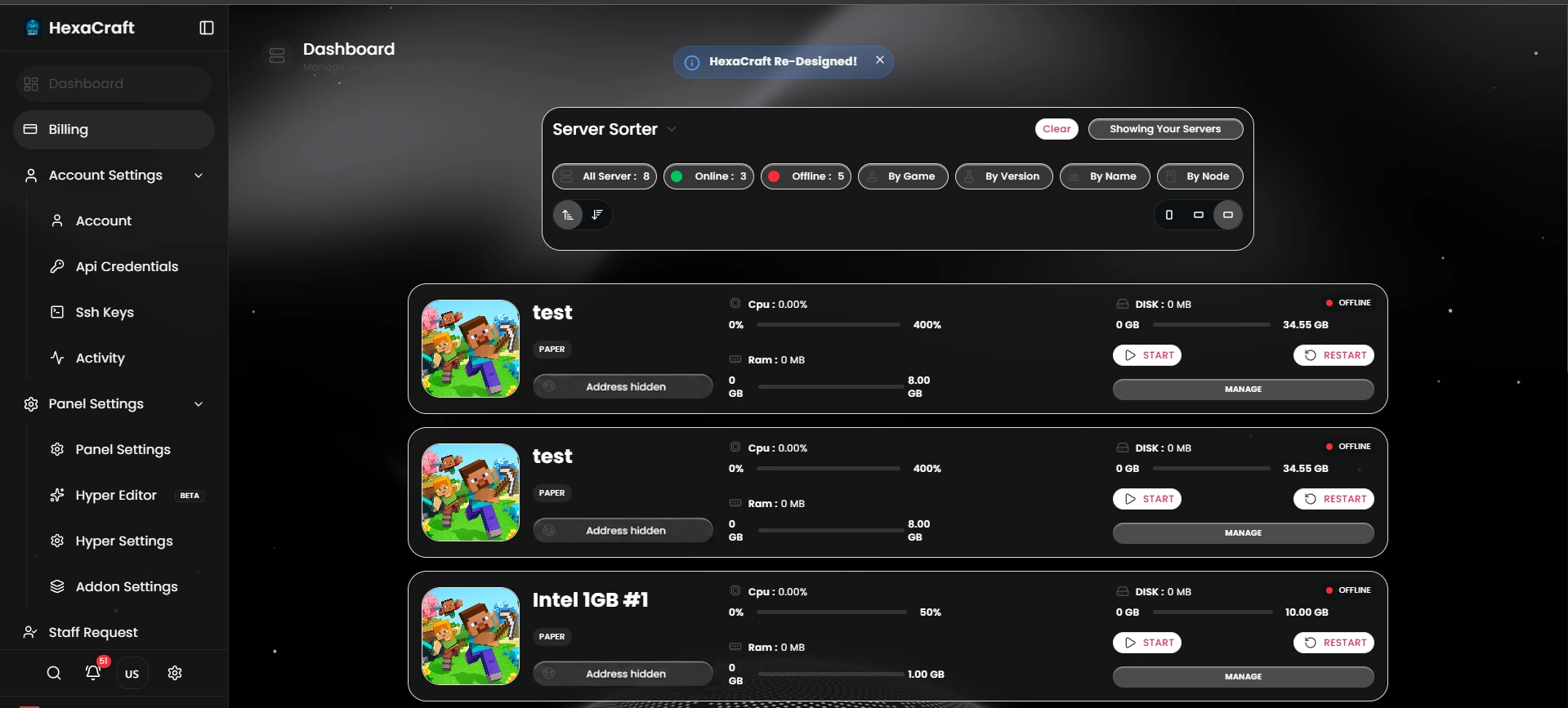
Browse your servers and see their state, resource allocation and management controls in one place.
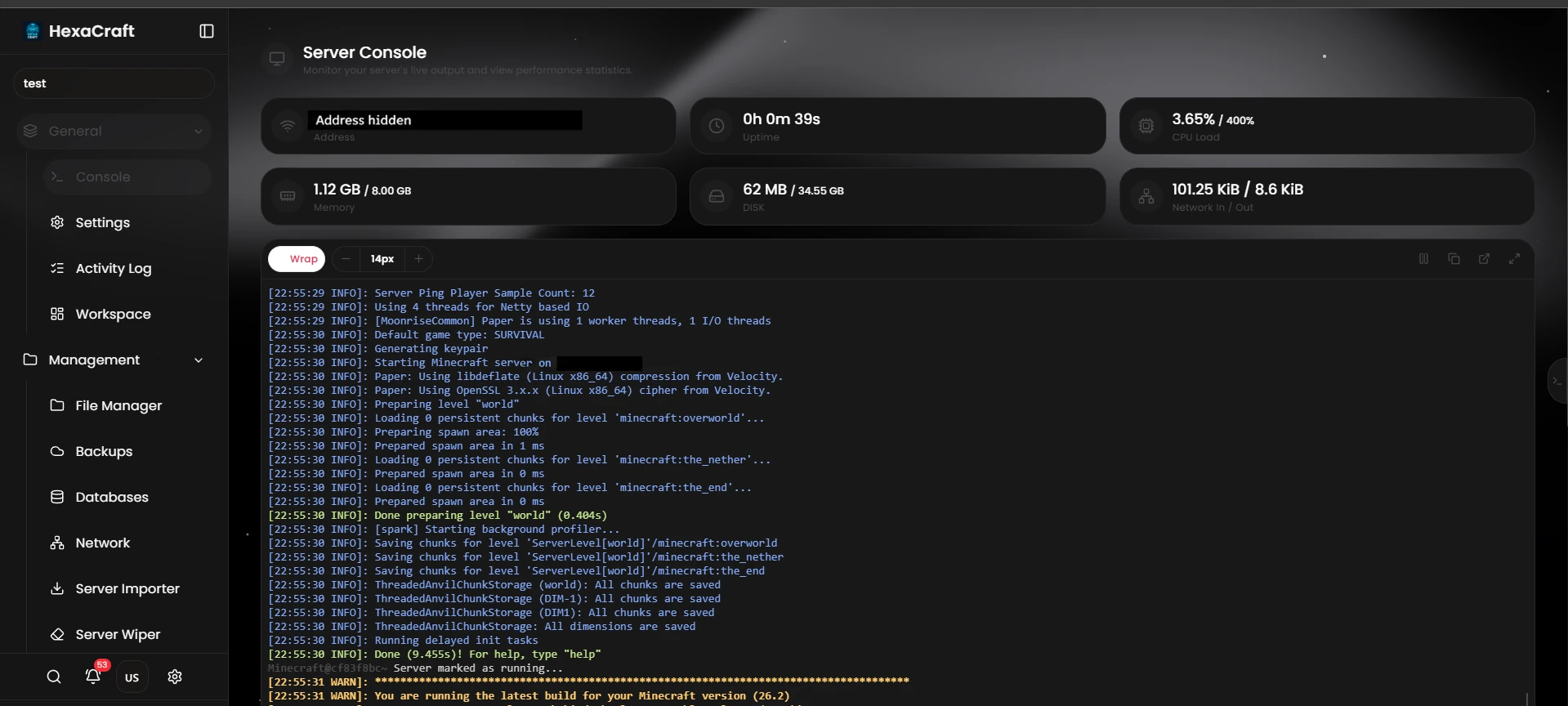
Read startup output and server logs alongside the panel’s resource readouts.
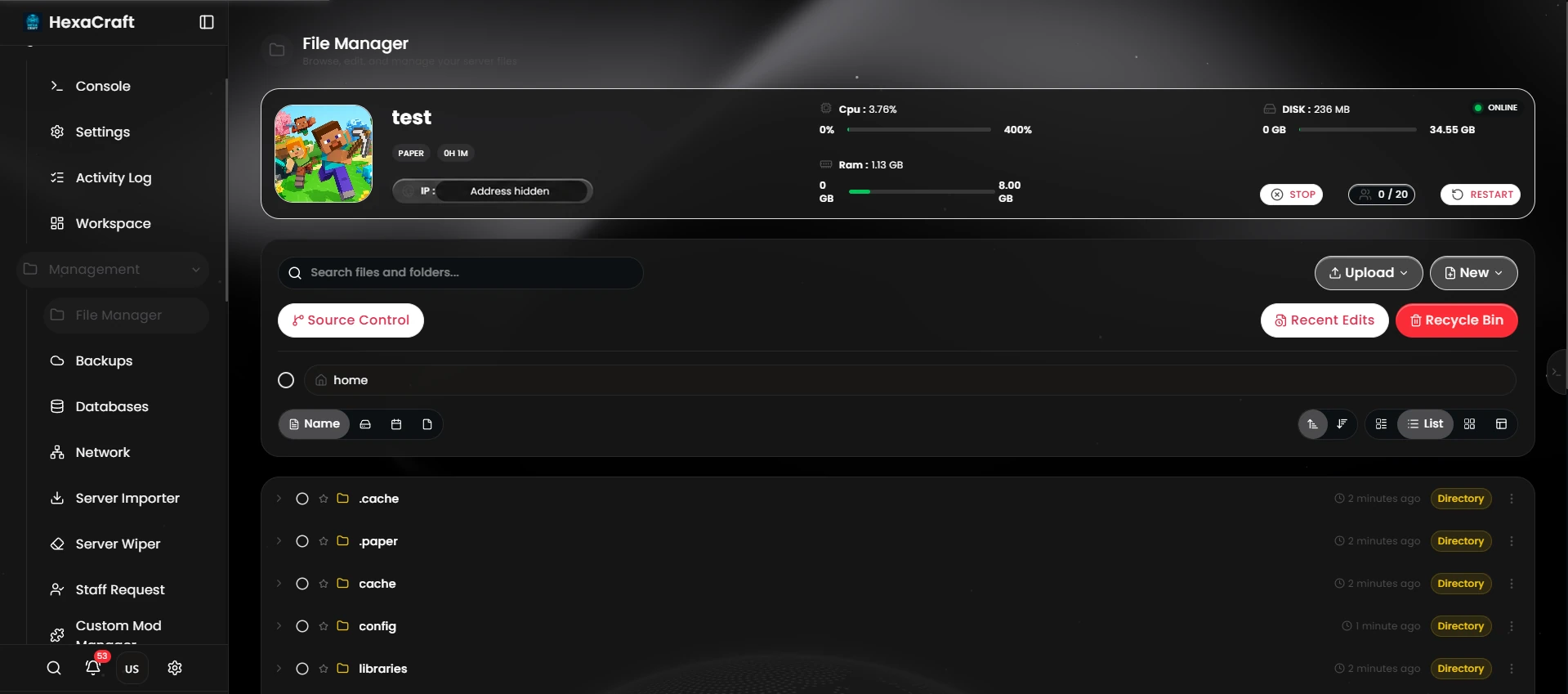
Browse folders, upload server files and manage the configuration behind your world.
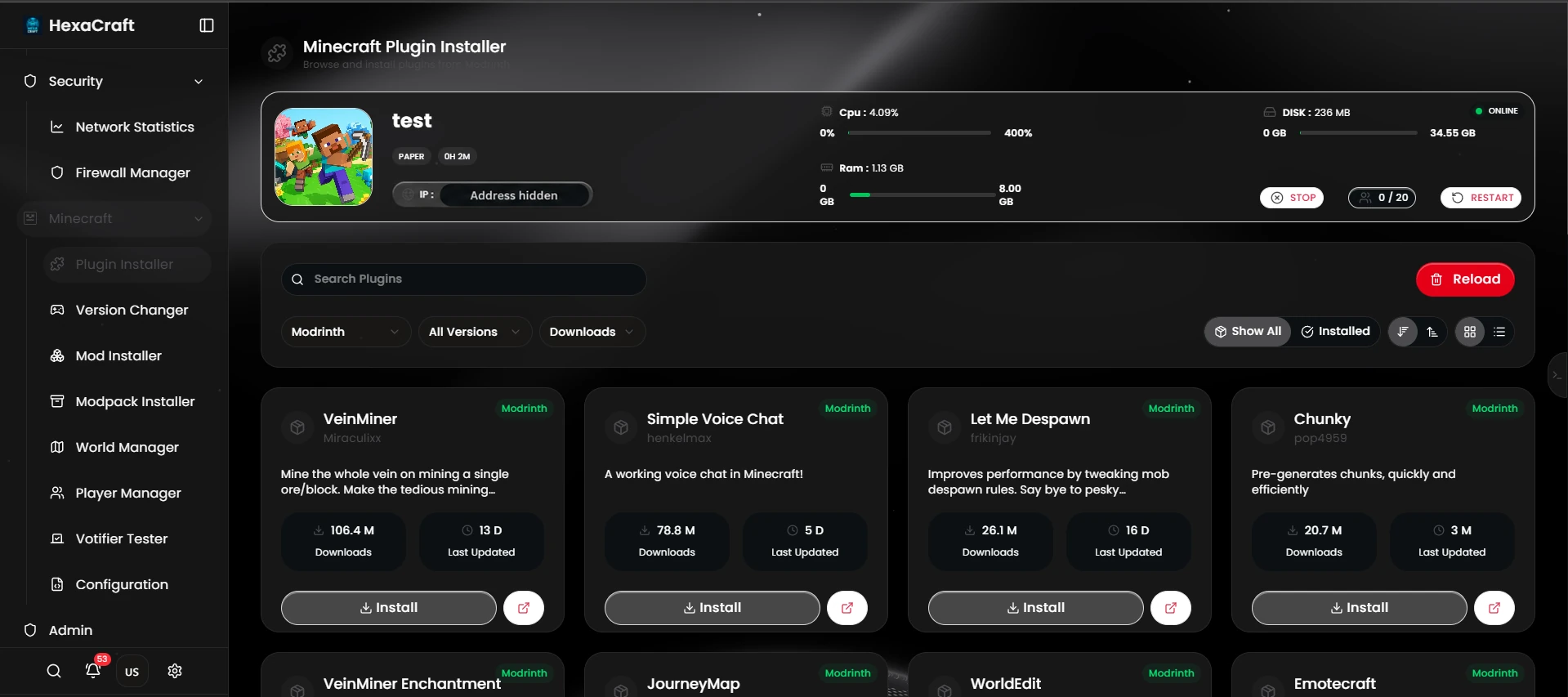
Browse the plugin installer and check compatibility with your server software before installing.
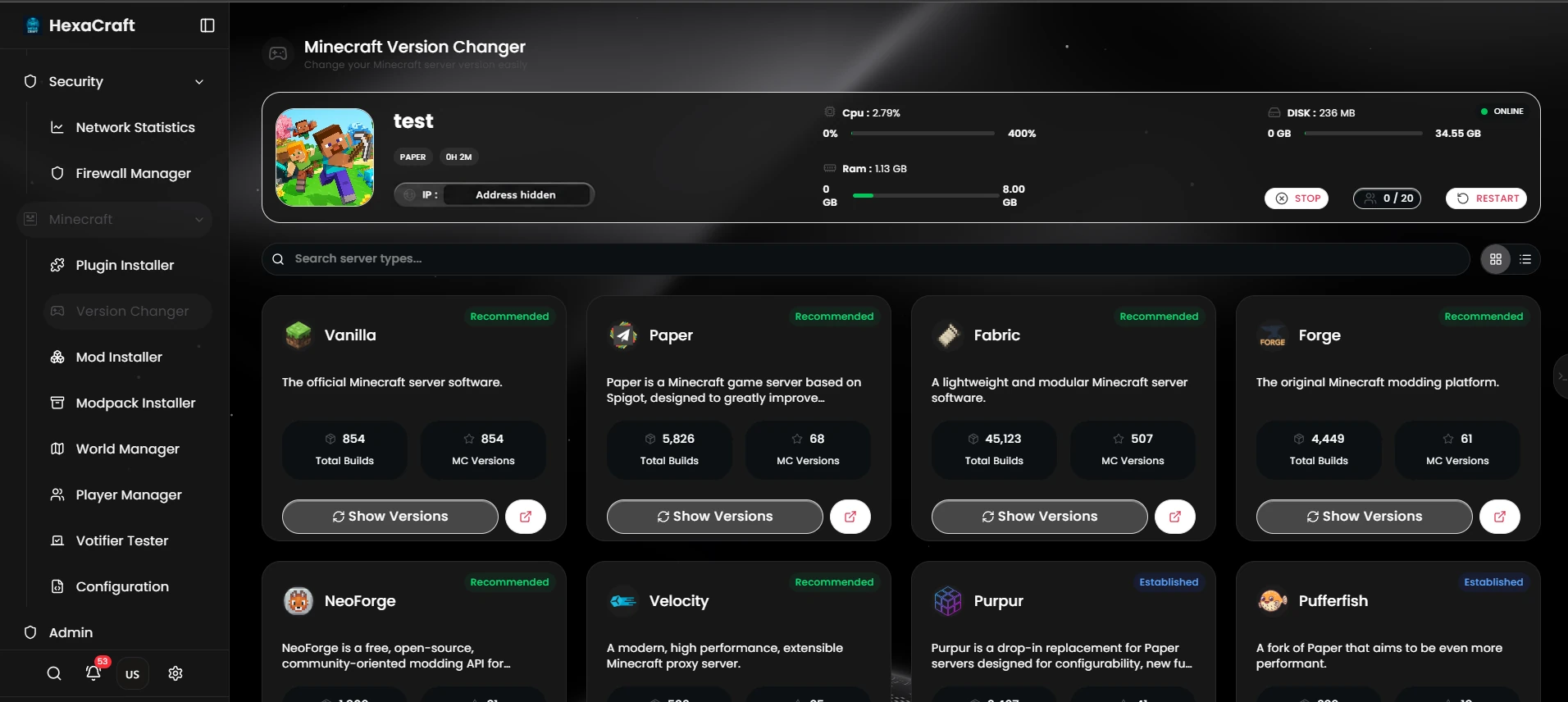
Explore the available server types and versions. Back up your world before changing software.
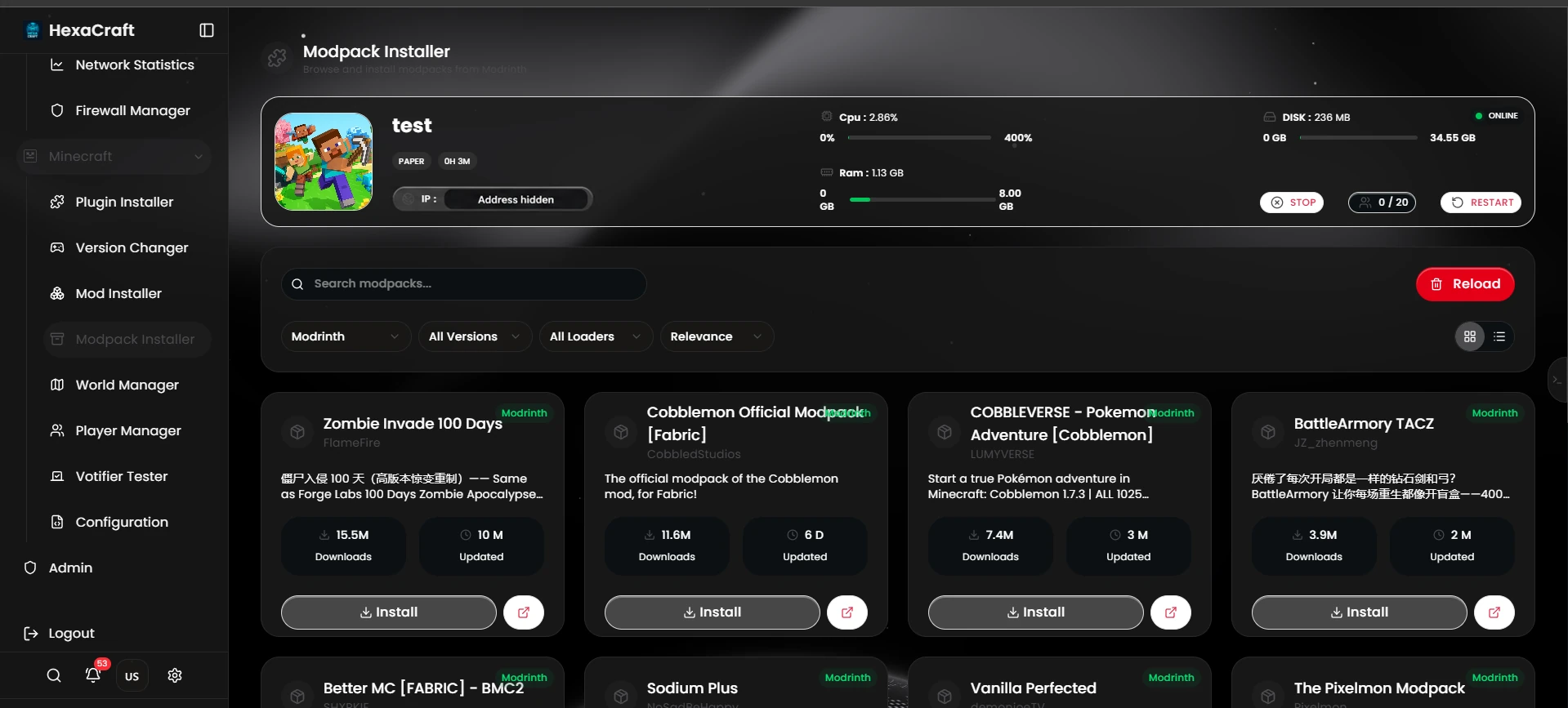
Browse modpacks in the panel and match the pack’s loader, version and resource requirements.
Screenshots supplied by HexaCraft; addresses redacted for privacy. Resource readings are captured examples, not performance guarantees. Available tools depend on server software and permissions.
For a private survival server, choose between vanilla Java and Paper or Spigot if you want plugins for claims, permissions or moderation. Start with your game version and peak player count. For an existing SMP, measure memory and tick time while players explore or use farms. The Minecraft server RAM guide explains how to size the plan.
In Mumbai, Intel 1 GB costs ₹20/month with a 50% CPU allocation and 10 GB NVMe. Intel 2 GB costs ₹40/month with a 100% CPU allocation and 25 GB NVMe. Compare the minimum requirements of your Minecraft version and plugins before buying. For larger worlds or modpacks, use the full Minecraft server price table to compare Intel, EPYC and Ryzen plans.
Keep a separate copy of your world, configuration and mods. Launch the copy with the matching Fabric or Forge loader and the exact modpack version. Confirm players can join and check inventories and permissions before switching the server address. The Minecraft server migration checklist covers the move.
Compare the Mumbai and Noida network tests from your players’ connections. If ping looks stable but blocks break slowly or entities freeze for everyone, check server tick time and profile a busy session before upgrading. See the Minecraft performance tools.
Your cart is empty